
Your cart is empty
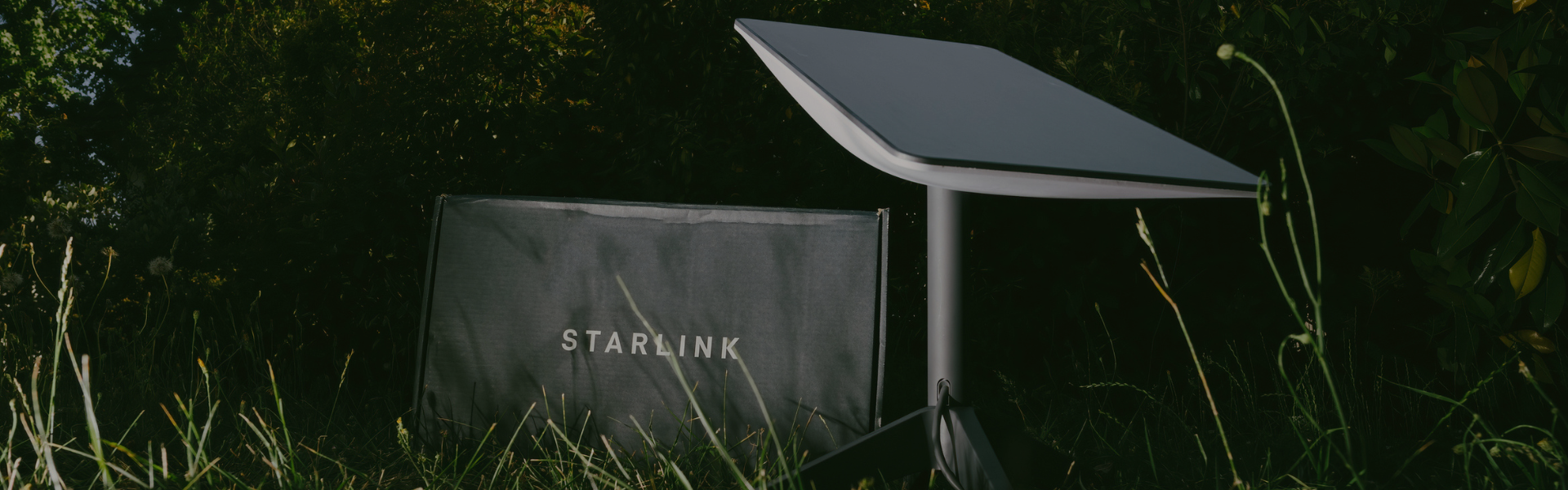
Starlink Knowledge Hub
Setup guides, downloads, key specifications and FAQs for Starlink Mini, plus practical advice on getting the best performance in remote and rural locations.
Starlink Mini | High-Speed Internet
Starlink Mini is designed for portable, fast satellite internet in places where you cannot count on mobile coverage. It is well suited to travel, remote work sites, rural properties, temporary deployments, and situations where you want streaming-capable internet and low-latency performance, without waiting on fixed-line availability. With typical download speeds from 25–280 Mbps and upload speeds from 5–30 Mbps, most users experience performance above 100 Mbps in good conditions, which is enough for HD streaming, remote working, and keeping multiple devices connected.
Starlink Mini Installation and Mount Downloads
PDF installation guides for Starlink Mini and popular mounting options.
Starlink Mini Key Specifications
Headline technical details for Starlink Mini. For installs, mounts, and best-practice setup steps, use the PDF guides above.

| Specification | Details |
|---|---|
| Typical Speeds | Download 25–280 Mbps, upload 5–30 Mbps. Many users experience 100 Mbps+ in good conditions. |
| Antenna | Electronic phased array |
| Field of View | 110° |
| Orientation | Software assisted manual orienting |
| Environmental Rating | IP67 Type 4 (with DC power cable and Starlink plug/cable installed) |
| Operating Temperature | -30°C to 50°C |
| Power Consumption | Average 25–40W |
| Input Rating | 12–48V, 60W |
| Wi-Fi | 802.11a/b/g/n/ac (Wi-Fi 5), dual band 3 x 3 MU-MIMO |
| Ethernet | One latching Ethernet LAN port (with Starlink plug) |
| Coverage | Up to 112 m² (1,200 ft²) |
| Connected Devices | Connect up to 128 devices |
| Security | WPA2 |
| Wind Speed | Operational 96 kph+ (60 mph+) |
| Snow Melt Capability | Up to 25 mm/hour |
| Mesh Compatibility | Compatible with all Starlink mesh systems (not compatible with third-party mesh systems) |
Real-world performance depends on your view of the sky, local congestion, weather, and how you position the terminal. For streaming and video calls in rural areas, the biggest improvement usually comes from reducing obstructions and giving the antenna the clearest possible sky view.
Best-Practice Setup for Optimising Speeds
Clear view of the sky
For the best possible performance, place your Starlink Mini with a wide, unobstructed view of the sky. Trees, buildings, cliffs and other obstacles can interrupt the signal and reduce speeds.
Position It Carefully
Use the Starlink app to check for obstructions and fine-tune the placement of your dish. Even moving it a few metres or raising it on a tripod can noticeably improve connection quality.
Minimise Wi-Fi Interference
Keep connected devices reasonably close to the Starlink Mini and avoid placing the router near metal objects, thick walls or other electronics that can interfere with the Wi-Fi signal.
Frequently Asked Questions
Expect typical download speeds of 25–280 Mbps and upload speeds of 5–30 Mbps. Many users see speeds above 100 Mbps in good conditions. Your actual results will vary with obstructions, weather, and local network congestion.
In most cases, yes. Starlink is widely used for streaming in remote and rural locations where fixed-line or reliable mobile data is not available. The main thing that impacts streaming stability is obstruction, so placing the terminal with a clear sky view is crucial.
Obstructions and movement. Trees, rooflines, and nearby structures can cause short interruptions that feel like buffering or frozen video. A stable mount and a clearer sky view usually produce the biggest improvement.
It depends on your mounting approach and how you plan to operate it. If you are installing it for mobile use, follow the relevant mount guide and prioritise safe, stable mounting. For best results, keep the antenna unobstructed and securely positioned.
Starlink Mini can connect up to 128 devices. Realistically, performance depends on what those devices are doing, so heavy multi-user streaming and large file uploads will benefit from good Wi-Fi placement and sensible network usage.
Average power consumption is typically 25–40W. That makes it realistic for many off-grid and mobile power systems, assuming your battery capacity and charging plan are sized for continuous operation and peak demand.
Heavy rain and severe weather can reduce performance or cause short interruptions, as with most satellite services. If your installation is secure and unobstructed, Starlink typically recovers quickly once conditions improve.
You do not need the entire sky, but you do need a strong, unobstructed view in the direction Starlink expects to operate. If you are surrounded by tall trees or buildings, mounting higher or relocating a few metres can make a noticeable difference.
Starlink Mini is compatible with all Starlink mesh systems, but not compatible with third-party mesh systems. If you need wider indoor coverage, Starlink mesh is the straightforward route.